הגדרת כתובות IP חיצוניות סטטיות

אתם יכולים להקצות כתובות IP חיצוניות סטטיות למכונות הווירטואליות (VM) ולמכונות Bare Metal. אפשר גם לשנות, לרשום ולשחרר כתובות IP סטטיות למכונות. כדי לשמור כתובת IP חיצונית סטטית, ראו שמירת כתובת IP חיצונית סטטית.

כתובות IP חיצוניות יכולות להיות סטטיות או זמניות. אם מכונה צריכה כתובת IP חיצונית קבועה שלא משתנה, צריך לבצע את הפעולות הבאות:

  1. מקבלים כתובת IP חיצונית סטטית. אתם יכולים לשמור כתובות IP חיצוניות חדשות או להפוך כתובות IP חיצוניות ארעיות קיימות לכתובות קבועות.
  2. מקצים את כתובת ה-IP השמורה למכונה וירטואלית קיימת, או מקצים אותה כשיוצרים מכונה וירטואלית חדשה.

אם אתם צריכים כתובת IP סטטית ברשת הפנימית של Compute Engine, כדאי לעיין במאמר שמירת כתובת IP פנימית סטטית.

מידע על שמירת כתובת IP חיצונית סטטית או על יצירת כתובת IP חיצונית גלובלית זמין במאמר בנושא שמירת כתובת IP חיצונית סטטית.

לפני שמתחילים

התפקידים הנדרשים

כדי לקבל את ההרשאות שדרושות להגדרה ולניהול של כתובות IP סטטיות, צריך לבקש מהאדמין להקצות לכם את תפקידי ה-IAM הבאים בפרויקט:

להסבר על מתן תפקידים, ראו איך מנהלים את הגישה ברמת הפרויקט, התיקייה והארגון.

התפקידים המוגדרים מראש האלה כוללים את ההרשאות שנדרשות להגדרה ולניהול של כתובות IP סטטיות. כדי לראות בדיוק אילו הרשאות נדרשות, אפשר להרחיב את הקטע ההרשאות הנדרשות:

ההרשאות הנדרשות

כדי להגדיר ולנהל כתובות IP סטטיות, נדרשות ההרשאות הבאות:

  • compute.instances.update
  • compute.instances.updateNetworkInterface
  • compute.instances.addAccessConfig
  • compute.instances.deleteAccessConfig
  • compute.networks.list
  • compute.subnetworks.use
  • compute.subnetworks.list
  • כדי ליצור מופעים:
    • compute.instances.create בפרויקט
    • כדי להשתמש באימג' בהתאמה אישית ליצירת המכונה הווירטואלית (VM): compute.images.useReadOnly בקובץ אימג'
    • כדי להשתמש ב-snapshot ליצירת המכונה הווירטואלית: compute.snapshots.useReadOnly בקובץ ה-snapshot
    • כדי להשתמש בתבנית של הגדרות מכונה ליצירת המכונה הווירטואלית: compute.instanceTemplates.useReadOnly בתבנית של הגדרות המכונה
    • כדי להקצות רשת מדור קודם למכונה הווירטואלית: compute.networks.use בפרויקט
    • כדי לציין כתובת IP סטטית למכונה הווירטואלית: compute.addresses.use בפרויקט
    • כדי להקצות כתובת IP חיצונית למכונה הווירטואלית כשמשתמשים ברשת מדור קודם: compute.networks.useExternalIp בפרויקט
    • כדי לציין רשת משנה למכונה הווירטואלית: compute.subnetworks.use בפרויקט או ברשת המשנה שנבחרה
    • כדי להקצות כתובת IP חיצונית למכונה הווירטואלית כשמשתמשים ברשת VPC: compute.subnetworks.useExternalIp בפרויקט או ברשת המשנה שנבחרה
    • כדי להגדיר מטא-נתונים של המכונה הווירטואלית: compute.instances.setMetadata בפרויקט
    • כדי להגדיר תגים למכונה הווירטואלית: compute.instances.setTags במכונה הווירטואלית
    • כדי להגדיר תוויות למכונה הווירטואלית: compute.instances.setLabels במכונה הווירטואלית
    • כדי להגדיר חשבון שירות לשימוש של המכונה הווירטואלית: compute.instances.setServiceAccount במכונה הווירטואלית
    • כדי ליצור דיסק חדש למכונה הווירטואלית: compute.disks.create בפרויקט
    • כדי לצרף דיסק קיים במצב קריאה-בלבד או במצב קריאה וכתיבה: compute.disks.use בדיסק
    • כדי לצרף דיסק קיים במצב קריאה-בלבד: compute.disks.useReadOnly בדיסק
  • כדי לערוך את מדיניות הארגון:
    • orgpolicy.policy.get
    • orgpolicy.policies.create
    • orgpolicy.policies.delete
    • orgpolicy.policies.update

יכול להיות שתקבלו את ההרשאות האלה באמצעות תפקידים בהתאמה אישית או תפקידים מוגדרים מראש אחרים.

מגבלות

  • רק משאב אחד בכל פעם יכול להשתמש בכתובת IP חיצונית סטטית.

  • אין דרך לבדוק אם כתובת IP היא סטטית או זמנית אחרי שהיא הוקצתה למשאב. אפשר להשוות את כתובת ה-IP לרשימה של כתובות IP חיצוניות סטטיות ששמורות לפרויקט הזה. משתמשים בפקודת המשנה gcloud compute addresses list כדי לראות רשימה של כתובות IP חיצוניות סטטיות שזמינות לפרויקט.

  • לכל מכונה וירטואלית יכולים להיות כמה ממשקי רשת, ולכל ממשק יכולות להיות מוקצות כתובות IP מהסוגים הבאים, בהתאם לסוג המערך שלו:

    • ממשקי IPv4 בלבד:
      • כתובת IPv4 פנימית (חובה)
      • כתובת IPv4 חיצונית (אופציונלי)
    • ממשקי מחסנית כפולה (IPv4 ו-IPv6):
      • כתובת IPv4 פנימית (חובה)
      • כתובת IPv4 חיצונית (אופציונלי)
      • /96 טווח כתובות IPv6, פנימי או חיצוני, אבל לא שניהם (חובה)
    • ממשקי IPv6 בלבד:
      • /96 טווח כתובות IPv6, פנימי או חיצוני, אבל לא שניהם (חובה)
  • אי אפשר לבטל את ההקצאה של כתובת IPv6 חיצונית למכונה וירטואלית עם ממשק רשת IPv6 בלבד, או לשנות אותה. עם זאת, אתם יכולים להפוך כתובת IP חיצונית ארעית של משאב לכתובת IP חיצונית סטטית, כך שהכתובת תישאר שמורה גם אחרי שהמשאב יימחק.

  • אי אפשר לשנות את השם של כתובת IP סטטית.

הערה: ממשקי רשת יכולים לקבל תנועה מ כללי העברה מרובים, שעשויים לשרת כתובות IP חיצוניות אחרות. כל מספר של כתובות IP חיצוניות יכול להפנות לממשק רשת באמצעות כללי ההעברה האלה, אבל לכל ממשק רשת אפשר להקצות רק כתובת IPv4 חיצונית אחת וטווח כתובות IPv6 חיצוני אחד /96.

מידע נוסף על איזון עומסים וכללי העברה זמין במאמרי העזרה בנושא איזון עומסים.

הצגת כתובות IP חיצוניות סטטיות זמינות

כדי להציג רשימה של כתובות IP חיצוניות סטטיות ששמרתם לפרויקט, פועלים לפי השלבים הבאים.

המסוף

  1. נכנסים לדף IP addresses במסוף Cloud de Confiance .

    מעבר אל כתובות IP

  2. לוחצים על External IP addresses (כתובות IP חיצוניות).

gcloud

משתמשים בפקודה gcloud compute addresses list:

  • כדי לראות את כל כתובות ה-IP, משתמשים בפקודה הבאה:

    gcloud compute addresses list
  • כדי לראות רשימה של כל כתובות ה-IP הגלובליות, משתמשים בפקודה הבאה:

    gcloud compute addresses list --global
  • כדי להציג רשימה של כל כתובות ה-IP האזוריות באזור מסוים, משתמשים בפקודה הבאה:

    gcloud compute addresses list \
        --regions=REGION
    

    מחליפים את REGION באזור שרוצים להציג את הכתובות שלו. אפשר לציין כתובות של כמה אזורים באמצעות רשימה של שמות אזורים מופרדים בפסיקים:

    gcloud compute addresses list \
        --regions=REGION1,REGION2,..REGION_n_
    

API

  • כדי להציג רשימה של כתובות IPv4 או IPv6 אזוריות, קוראים לשיטה addresses.list:

    GET https://compute.s3nsapis.fr/compute/v1/projects/PROJECT_ID/regions/REGION/addresses
    

    מחליפים את מה שכתוב בשדות הבאים:

    • PROJECT_ID: מזהה הפרויקט של הבקשה הזו
    • REGION: שם האזור של הבקשה
  • כדי להציג רשימה של כל הכתובות בכל האזורים, קוראים לשיטה addresses.aggregatedList:

    GET https://compute.s3nsapis.fr/compute/v1/projects/PROJECT_ID/aggregated/addresses
    
  • כדי להציג רשימה של כתובות IPv4 או IPv6 גלובליות, קוראים לשיטה globalAddresses.list:

    GET https://compute.s3nsapis.fr/compute/v1/projects/PROJECT_ID/global/addresses
    

    מחליפים את מה שכתוב בשדות הבאים:

    PROJECT_ID: מזהה הפרויקט של הבקשה הזו

המשך

import (
	"context"
	"fmt"
	"io"

	compute "cloud.google.com/go/compute/apiv1"
	"google.golang.org/api/iterator"

	"cloud.google.com/go/compute/apiv1/computepb"
)

// listRegionalExternal retrieves list external IP addresses in Google Cloud Platform region.
func listRegionalExternal(w io.Writer, projectID, region string) ([]*computepb.Address, error) {
	// projectID := "your_project_id"
	// region := "europe-west3"

	ctx := context.Background()
	// Create the service client.
	addressesClient, err := compute.NewAddressesRESTClient(ctx)
	if err != nil {
		return nil, err
	}
	defer addressesClient.Close()

	// Build the request.
	req := &computepb.ListAddressesRequest{
		Project: projectID,
		Region:  region,
	}

	// List the addresses.
	it := addressesClient.List(ctx, req)

	// Iterate over the results.
	var addresses []*computepb.Address
	for {
		address, err := it.Next()
		if err == iterator.Done {
			break
		}
		if err != nil {
			return nil, err
		}
		addresses = append(addresses, address)
	}

	// Print the addresses.
	fmt.Fprint(w, "Fetched addresses: \n")
	for _, address := range addresses {
		fmt.Fprintf(w, "%s\n", *address.Name)
	}

	return addresses, nil
}

// listGlobalExternal retrieves list external global IP addresses in Google Cloud Platform.
func listGlobalExternal(w io.Writer, projectID string) ([]*computepb.Address, error) {
	// projectID := "your_project_id"

	ctx := context.Background()
	// Create the service client.
	addressesClient, err := compute.NewGlobalAddressesRESTClient(ctx)
	if err != nil {
		return nil, err
	}
	defer addressesClient.Close()

	// Build the request.
	req := &computepb.ListGlobalAddressesRequest{
		Project: projectID,
	}

	// List the addresses.
	it := addressesClient.List(ctx, req)

	// Iterate over the results.
	var addresses []*computepb.Address
	for {
		address, err := it.Next()
		if err == iterator.Done {
			break
		}
		if err != nil {
			return nil, err
		}
		addresses = append(addresses, address)
	}

	// Print the addresses.
	fmt.Fprint(w, "Fetched addresses: \n")
	for _, address := range addresses {
		fmt.Fprintf(w, "%s\n", *address.Name)
	}

	return addresses, nil
}

Java


import com.google.cloud.compute.v1.Address;
import com.google.cloud.compute.v1.AddressesClient;
import com.google.cloud.compute.v1.GlobalAddressesClient;
import com.google.cloud.compute.v1.ListAddressesRequest;
import com.google.cloud.compute.v1.ListGlobalAddressesRequest;
import com.google.common.collect.Lists;
import java.io.IOException;
import java.util.List;
import java.util.concurrent.ExecutionException;
import java.util.concurrent.TimeoutException;

public class ListStaticExternalIp {

  public static void main(String[] args)
          throws IOException, ExecutionException, InterruptedException, TimeoutException {
    // TODO(developer): Replace these variables before running the sample.
    // Project ID or project number of the Google Cloud project you want to use.
    String projectId = "your-project-id";
    // Region where the VM and IP is located.
    String region = "your-region-id";

    listStaticExternalIp(projectId, region);
  }

  // Lists all static external IP addresses, either regional or global.
  public static List<Address> listStaticExternalIp(String projectId, String region)
          throws IOException {
    // Use regional client if a region is specified
    if (region != null) {
      // Initialize client that will be used to send requests. This client only needs to be created
      // once, and can be reused for multiple requests.
      try (AddressesClient client = AddressesClient.create()) {
        ListAddressesRequest request = ListAddressesRequest.newBuilder()
                .setProject(projectId)
                .setRegion(region)
                .build();

        return Lists.newArrayList(client.list(request).iterateAll());
      }
    } else {
      // Initialize client that will be used to send requests. This client only needs to be created
      // once, and can be reused for multiple requests.
      try (GlobalAddressesClient client = GlobalAddressesClient.create()) {
        ListGlobalAddressesRequest request = ListGlobalAddressesRequest.newBuilder()
                .setProject(projectId)
                .build();

        return Lists.newArrayList(client.list(request).iterateAll());
      }
    }
  }
}

Python

from typing import List, Optional

from google.cloud.compute_v1.services.addresses.client import AddressesClient
from google.cloud.compute_v1.services.global_addresses import GlobalAddressesClient
from google.cloud.compute_v1.types import Address


def list_static_ip_addresses(
    project_id: str, region: Optional[str] = None
) -> List[Address]:
    """
    Lists all static external IP addresses, either regional or global.

    Args:
    project_id (str): project ID.
    region (Optional[str]): The region of the IP addresses if regional. None if global.

    Returns:
    List[Address]: A list of Address objects containing details about the requested IPs.
    """
    if region:
        # Use regional client if a region is specified
        client = AddressesClient()
        addresses_iterator = client.list(project=project_id, region=region)
    else:
        # Use global client if no region is specified
        client = GlobalAddressesClient()
        addresses_iterator = client.list(project=project_id)

    return list(addresses_iterator)  # Convert the iterator to a list to return

הגדרת כתובות IP חיצוניות סטטיות

בקטעים הבאים מוסבר איך להגדיר כתובות IP חיצוניות סטטיות למופעים.

יצירת מכונה שמשתמשת בכתובת IP חיצונית סטטית

אחרי ששומרים כתובת IP חיצונית סטטית, אפשר להקצות אותה למכונה.

המסוף

  1. נכנסים לדף Create an instance במסוף Cloud de Confiance .

    כניסה לדף Create an instance

  2. כדי להקצות כתובת IP חיצונית סטטית למופע, מבצעים את הפעולות הבאות:

    1. בתפריט הניווט, לוחצים על Networking (רשת).

    2. בקטע Network interfaces (ממשקי רשת), מציינים את ממשקי הרשת שרוצים להגדיר למופע באמצעות האפשרויות הבאות:

      • כדי להוסיף ממשק רשת, לוחצים על הוספת ממשק רשת. אחר כך, בוחרים רשת מהרשימה רשת.

      • כדי למחוק ממשק רשת, לוחצים על מחיקה.

    3. בוחרים באחת מהאפשרויות הבאות:

      • כדי להקצות כתובת IPv4 חיצונית סטטית, מבצעים את הפעולות הבאות:

        1. מרחיבים את ממשק הרשת.
        2. בוחרים את כתובת ה-IP מהרשימה External IPv4 address.
      • כדי להקצות כתובת IPv6 חיצונית סטטית, מבצעים את הפעולות הבאות:

        1. מרחיבים את ממשק הרשת שמכיל תת-רשת עם טווח כתובות IPv6 חיצוניות.
        2. בוחרים את רשת המשנה מהרשימה Subnetwork.
        3. בקטע IP stack type, בוחרים באפשרות IPv4 and IPv6 (dual-stack) או באפשרות IPv6 (single-stack).
        4. בוחרים את כתובת ה-IPv6 החיצונית החדשה שהוקצתה מהרשימה External IPv6 address. אפשר גם לבחור באפשרות שמירת כתובת IPv6 חיצונית סטטית ולשמור כתובת IPv6 חיצונית סטטית חדשה.
        5. בקטע Network Service Tier, לוחצים על Premium.
    4. כדי לסיים את השינוי של ממשק הרשת, לוחצים על Done.

  3. ממשיכים בתהליך יצירת המופע.

gcloud

אתם יכולים ליצור מכונה ולהקצות לה כתובת IP חיצונית סטטית אזורית שכבר שמרתם.

  • כדי להקצות כתובת IPv4 חיצונית סטטית, מבצעים את הפעולות הבאות:

    gcloud compute instances create INSTANCE_NAME \
        --zone=ZONE \
        --address=IPV4_ADDRESS
    
  • כדי להקצות כתובת IPv6 חיצונית סטטית, מבצעים את הפעולות הבאות:

    gcloud compute instances create INSTANCE_NAME \
        --zone=ZONE \
        --subnet=SUBNET \
        --stack-type=STACK_TYPE \
        --external-ipv6-address=IPV6_ADDRESS \
        --external-ipv6-prefix-length=96 \
        --ipv6-network-tier=PREMIUM
    

    מחליפים את מה שכתוב בשדות הבאים:

    • INSTANCE_NAME: השם של מכונת Compute.
    • ZONE: האזור שבו רוצים ליצור את המכונה
    • IPV4_ADDRESS: כתובת ה-IPv4 להקצאה למכונה. משתמשים בכתובת ה-IP החיצונית הסטטית השמורה, ולא בשם הכתובת.
    • SUBNET: רשת משנה שמכילה כתובות IPv6 חיצוניות
    • STACK_TYPE: סוג ה-stack של המכונה, IPV4_IPV6 (dual-stack) או IPV6_ONLY
    • IPV6_ADDRESS: כתובת ה-IPv6 להקצאה למכונה. משתמשים בכתובת ה-IP החיצונית הסטטית השמורה, ולא בשם הכתובת.

Terraform

אתם יכולים להשתמש במשאב google_compute_instance כדי להקצות כתובת IP חיצונית.

resource "google_compute_instance" "default" {
  name         = "dns-proxy-nfs"
  machine_type = "n1-standard-1"
  zone         = "us-central1-a"

  boot_disk {
    initialize_params {
      image = "ubuntu-1404-trusty-v20160627"
    }
  }

  network_interface {
    network = "default"
    access_config {
      nat_ip = google_compute_address.default.address
    }
  }
}

כדי ללמוד איך להחיל הגדרות ב-Terraform או להסיר אותן, ראו פקודות בסיסיות ב-Terraform.

REST

  • כדי להקצות כתובת IPv4 חיצונית סטטית למכונת Compute חדשה, מבצעים את הפעולות הבאות:

    בבקשה ליצירת מכונה חדשה, צריך לציין במפורש את המאפיין networkInterfaces[].accessConfigs[].natIP ואת כתובת ה-IPv4 החיצונית שרוצים להשתמש בה, לדוגמה:

    {
      "name": "INSTANCE_NAME",
      "machineType": "zones/ZONE/machineTypes/MACHINE_TYPE",
      "networkInterfaces": [{
          "accessConfigs": [{
            "type": "ONE_TO_ONE_NAT",
            "name": "External NAT",
            "natIP": "IPV4_ADDRESS"
          }],
          "network": "global/networks/default"
      }],
      "disks": [{
          "autoDelete": "true",
            "boot": "true",
            "type": "PERSISTENT",
            "initializeParams": {
                "sourceImage": "SOURCE_IMAGE"
             }
      }]
    }
    

    מחליפים את מה שכתוב בשדות הבאים:

    • INSTANCE_NAME: השם של מכונת ה-Compute
    • ZONE: האזור שבו רוצים ליצור את המכונה
    • MACHINE_TYPE: אופציונלי: כתובת URL מלאה או חלקית של משאב מסוג מכונה לשימוש כשיוצרים את המכונה, בפורמט: zones/ZONE/machineTypes/MACHINE_TYPE
    • IPV4_ADDRESS: כתובת ה-IPv4 להקצאה למכונה. משתמשים בכתובת ה-IP החיצונית הסטטית השמורה, ולא בשם הכתובת.
    • SOURCE_IMAGE: גרסה ספציפית של תמונה ציבורית, כמו projects/debian-cloud/global/images/debian-10-buster-v20200309 או משפחה של תמונות, כמו projects/debian-cloud/global/images/family/debian-10
  • כדי להקצות כתובת IPv6 חיצונית סטטית למכונה חדשה, מבצעים את הפעולות הבאות:

    בבקשה ליצירת מכונה וירטואלית חדשה, מציינים במפורש את המאפיין networkInterfaces[].ipv6AccessConfigs[].externalIpv6 ואת כתובת ה-IPv6 החיצונית שרוצים להשתמש בה, לדוגמה:

    {
      "name": "INSTANCE_NAME",
      "machineType": "zones/ZONE/machineTypes/MACHINE_TYPE",
      "networkInterfaces": [{
              "ipv6AccessConfigs": [{
             "externalIpv6": "IPV6_ADDRESS",
             "externalIpv6PrefixLength": 96,
             "name": "external-ipv6-access-config",
             "networkTier": "PREMIUM",
             "type": "DIRECT_IPV6"
              }],
          "stackType": "STACK_TYPE",
          "subnetwork":"SUBNETWORK"
      }],
      "disks": [{
          "autoDelete": "true",
          "boot": "true",
          "mode": "READ_WRITE",
          "type": "PERSISTENT",
          "initializeParams": {
              "sourceImage": "SOURCE_IMAGE"
          },
      }],
    }
    

    מחליפים את מה שכתוב בשדות הבאים:

    • INSTANCE_NAME: השם של מכונת ה-Compute
    • ZONE: האזור שבו רוצים ליצור את המכונה
    • MACHINE_TYPE: אופציונלי: כתובת URL מלאה או חלקית של משאב מסוג מכונה לשימוש כשיוצרים את המכונה, בפורמט: zones/ZONE/machineTypes/MACHINE_TYPE
    • IPV6_ADDRESS: כתובת ה-IPv6 להקצאה למכונה. משתמשים בכתובת ה-IP החיצונית הסטטית השמורה, ולא בשם הכתובת.
    • STACK_TYPE: סוג ה-stack של המכונה, יכול להיות IPV4_IPV6 (dual-stack) או IPV6_ONLY
    • SUBNET: רשת משנה שמכילה כתובות IPv6 חיצוניות
    • SOURCE_IMAGE: גרסה ספציפית של תמונה ציבורית, כמו "projects/debian-cloud/global/images/debian-10-buster-v20200309" או משפחה של תמונות, כמו "projects/debian-cloud/global/images/family/debian-10"

המשך


// assignStaticExternalToNewVM creates a new VM instance and assigns a static external IP address to it.
// NOTE: ip address is expected to exist and be located in the same region as new VM
func assignStaticExternalToNewVM(w io.Writer, projectID, zone, instanceName, ipAddress string) error {
	// projectID := "your_project_id"
	// zone := "europe-central2-b"
	// instanceName := "your_instance_name"
	// ipAddress := 301.222.11.123

	ctx := context.Background()
	instancesClient, err := compute.NewInstancesRESTClient(ctx)
	if err != nil {
		return fmt.Errorf("NewInstancesRESTClient: %w", err)
	}
	defer instancesClient.Close()

	imagesClient, err := compute.NewImagesRESTClient(ctx)
	if err != nil {
		return fmt.Errorf("NewImagesRESTClient: %w", err)
	}
	defer imagesClient.Close()

	// List of public operating system (OS) images: https://cloud.google.com/compute/docs/images/os-details.
	newestDebianReq := &computepb.GetFromFamilyImageRequest{
		Project: "debian-cloud",
		Family:  "debian-12",
	}
	newestDebian, err := imagesClient.GetFromFamily(ctx, newestDebianReq)
	if err != nil {
		return fmt.Errorf("unable to get image from family: %w", err)
	}

	req := &computepb.InsertInstanceRequest{
		Project: projectID,
		Zone:    zone,
		InstanceResource: &computepb.Instance{
			Name: proto.String(instanceName),
			Disks: []*computepb.AttachedDisk{
				{
					InitializeParams: &computepb.AttachedDiskInitializeParams{
						DiskSizeGb:  proto.Int64(10),
						SourceImage: newestDebian.SelfLink,
						DiskType:    proto.String(fmt.Sprintf("zones/%s/diskTypes/pd-standard", zone)),
					},
					AutoDelete: proto.Bool(true),
					Boot:       proto.Bool(true),
					Type:       proto.String(computepb.AttachedDisk_PERSISTENT.String()),
				},
			},
			MachineType: proto.String(fmt.Sprintf("zones/%s/machineTypes/n1-standard-1", zone)),
			NetworkInterfaces: []*computepb.NetworkInterface{
				{
					AccessConfigs: []*computepb.AccessConfig{
						{
							Type:        proto.String(computepb.AccessConfig_ONE_TO_ONE_NAT.String()),
							Name:        proto.String("External NAT"),
							NetworkTier: proto.String(computepb.AccessConfig_PREMIUM.String()),
							NatIP:       proto.String(ipAddress),
						},
					},
				},
			},
		},
	}

	op, err := instancesClient.Insert(ctx, req)
	if err != nil {
		return fmt.Errorf("unable to create instance: %w", err)
	}

	if err = op.Wait(ctx); err != nil {
		return fmt.Errorf("unable to wait for the operation: %w", err)
	}

	fmt.Fprintf(w, "Static address %s assigned to new VM", ipAddress)

	return nil
}

Java


import com.google.cloud.compute.v1.AccessConfig;
import com.google.cloud.compute.v1.AccessConfig.Type;
import com.google.cloud.compute.v1.Address.NetworkTier;
import com.google.cloud.compute.v1.AttachedDisk;
import com.google.cloud.compute.v1.AttachedDiskInitializeParams;
import com.google.cloud.compute.v1.GetInstanceRequest;
import com.google.cloud.compute.v1.ImagesClient;
import com.google.cloud.compute.v1.InsertInstanceRequest;
import com.google.cloud.compute.v1.Instance;
import com.google.cloud.compute.v1.InstancesClient;
import com.google.cloud.compute.v1.NetworkInterface;
import java.io.IOException;
import java.util.UUID;
import java.util.concurrent.ExecutionException;
import java.util.concurrent.TimeUnit;
import java.util.concurrent.TimeoutException;

public class AssignStaticExternalNewVmAddress {

  public static void main(String[] args)
          throws IOException, ExecutionException, InterruptedException, TimeoutException {
    // TODO(developer): Replace these variables before running the sample.
    // Project ID or project number of the Google Cloud project you want to use.
    String projectId = "your-project-id";
    // Instance ID of the Google Cloud project you want to use.
    String instanceId = "your-instance-id";
    // Name of the zone to create the instance in. For example: "us-west3-b"
    String zone = "your-zone-id";
    // machine type of the VM being created. This value uses the
    // following format: "zones/{zone}/machineTypes/{type_name}".
    // For example: "zones/europe-west3-c/machineTypes/f1-micro"
    String machineType = String.format("zones/%s/machineTypes/{your-machineType-id}", zone);
    // boolean flag indicating if the instance should have an external IPv4 address assigned.
    boolean externalAccess = true;
    // external IPv4 address to be assigned to this instance. If you specify
    // an external IP address, it must live in the same region as the zone of the instance.
    // This setting requires `external_access` to be set to True to work.
    String externalIpv4 = "your-externalIpv4-id";

    assignStaticExternalNewVmAddress(projectId, instanceId, zone,
            externalAccess, machineType, externalIpv4);
  }

  // Create a new VM instance with assigned static external IP address.
  public static Instance assignStaticExternalNewVmAddress(String projectId, String instanceName,
                                                          String zone, boolean externalAccess,
                                                          String machineType, String externalIpv4)
          throws IOException, ExecutionException, InterruptedException, TimeoutException {
    String sourceImage;
    // Initialize client that will be used to send requests. This client only needs to be created
    // once, and can be reused for multiple requests.
    try (ImagesClient imagesClient = ImagesClient.create()) {
      sourceImage = imagesClient.getFromFamily("debian-cloud", "debian-11").getSelfLink();
    }
    AttachedDisk attachedDisk = buildAttachedDisk(sourceImage, zone);

    return createInstance(projectId, instanceName, zone,
            attachedDisk, machineType, externalAccess, externalIpv4);
  }

  private static AttachedDisk buildAttachedDisk(String sourceImage, String zone) {
    AttachedDiskInitializeParams initializeParams = AttachedDiskInitializeParams.newBuilder()
            .setSourceImage(sourceImage)
            .setDiskSizeGb(10)
            .setDiskType(String.format("zones/%s/diskTypes/pd-standard", zone))
            .build();

    return AttachedDisk.newBuilder()
            .setInitializeParams(initializeParams)
            // Remember to set auto_delete to True if you want the disk to be deleted
            // when you delete your VM instance.
            .setAutoDelete(true)
            .setBoot(true)
            .build();
  }

  // Send an instance creation request to the Compute Engine API and wait for it to complete.
  private static Instance createInstance(String projectId, String instanceName,
                                         String zone, AttachedDisk disks,
                                         String machineType, boolean externalAccess,
                                         String externalIpv4)
          throws IOException, ExecutionException, InterruptedException, TimeoutException {
    // Initialize client that will be used to send requests. This client only needs to be created
    // once, and can be reused for multiple requests.
    try (InstancesClient client = InstancesClient.create()) {
      Instance instanceResource =
              buildInstanceResource(instanceName, disks, machineType, externalAccess, externalIpv4);

      InsertInstanceRequest build = InsertInstanceRequest.newBuilder()
              .setProject(projectId)
              .setRequestId(UUID.randomUUID().toString())
              .setZone(zone)
              .setInstanceResource(instanceResource)
              .build();
      client.insertCallable().futureCall(build).get(60, TimeUnit.SECONDS);

      GetInstanceRequest getInstanceRequest = GetInstanceRequest.newBuilder()
              .setInstance(instanceName)
              .setProject(projectId)
              .setZone(zone)
              .build();

      return client.get(getInstanceRequest);
    }
  }

  private static Instance buildInstanceResource(String instanceName, AttachedDisk disk,
                                                String machineType, boolean externalAccess,
                                                String externalIpv4) {
    NetworkInterface networkInterface =
            networkInterface(externalAccess, externalIpv4);

    return Instance.newBuilder()
            .setName(instanceName)
            .addDisks(disk)
            .setMachineType(machineType)
            .addNetworkInterfaces(networkInterface)
            .build();
  }

  private static NetworkInterface networkInterface(boolean externalAccess, String externalIpv4) {
    NetworkInterface.Builder build = NetworkInterface.newBuilder()
            .setNetwork("global/networks/default");
    if (externalAccess) {
      AccessConfig.Builder accessConfig = AccessConfig.newBuilder()
              .setType(Type.ONE_TO_ONE_NAT.name())
              .setName("External NAT")
              .setNetworkTier(NetworkTier.PREMIUM.name());
      if (externalIpv4 != null) {
        accessConfig.setNatIP(externalIpv4);
      }
      build.addAccessConfigs(accessConfig.build());
    }

    return build.build();
  }
}

Python

from __future__ import annotations

import re
import sys
from typing import Any
import warnings

from google.api_core.extended_operation import ExtendedOperation
from google.cloud import compute_v1


def get_image_from_family(project: str, family: str) -> compute_v1.Image:
    """
    Retrieve the newest image that is part of a given family in a project.

    Args:
        project: project ID or project number of the Cloud project you want to get image from.
        family: name of the image family you want to get image from.

    Returns:
        An Image object.
    """
    image_client = compute_v1.ImagesClient()
    # List of public operating system (OS) images: https://cloud.google.com/compute/docs/images/os-details
    newest_image = image_client.get_from_family(project=project, family=family)
    return newest_image


def disk_from_image(
    disk_type: str,
    disk_size_gb: int,
    boot: bool,
    source_image: str,
    auto_delete: bool = True,
) -> compute_v1.AttachedDisk:
    """
    Create an AttachedDisk object to be used in VM instance creation. Uses an image as the
    source for the new disk.

    Args:
         disk_type: the type of disk you want to create. This value uses the following format:
            "zones/{zone}/diskTypes/(pd-standard|pd-ssd|pd-balanced|pd-extreme)".
            For example: "zones/us-west3-b/diskTypes/pd-ssd"
        disk_size_gb: size of the new disk in gigabytes
        boot: boolean flag indicating whether this disk should be used as a boot disk of an instance
        source_image: source image to use when creating this disk. You must have read access to this disk. This can be one
            of the publicly available images or an image from one of your projects.
            This value uses the following format: "projects/{project_name}/global/images/{image_name}"
        auto_delete: boolean flag indicating whether this disk should be deleted with the VM that uses it

    Returns:
        AttachedDisk object configured to be created using the specified image.
    """
    boot_disk = compute_v1.AttachedDisk()
    initialize_params = compute_v1.AttachedDiskInitializeParams()
    initialize_params.source_image = source_image
    initialize_params.disk_size_gb = disk_size_gb
    initialize_params.disk_type = disk_type
    boot_disk.initialize_params = initialize_params
    # Remember to set auto_delete to True if you want the disk to be deleted when you delete
    # your VM instance.
    boot_disk.auto_delete = auto_delete
    boot_disk.boot = boot
    return boot_disk


def wait_for_extended_operation(
    operation: ExtendedOperation, verbose_name: str = "operation", timeout: int = 300
) -> Any:
    """
    Waits for the extended (long-running) operation to complete.

    If the operation is successful, it will return its result.
    If the operation ends with an error, an exception will be raised.
    If there were any warnings during the execution of the operation
    they will be printed to sys.stderr.

    Args:
        operation: a long-running operation you want to wait on.
        verbose_name: (optional) a more verbose name of the operation,
            used only during error and warning reporting.
        timeout: how long (in seconds) to wait for operation to finish.
            If None, wait indefinitely.

    Returns:
        Whatever the operation.result() returns.

    Raises:
        This method will raise the exception received from `operation.exception()`
        or RuntimeError if there is no exception set, but there is an `error_code`
        set for the `operation`.

        In case of an operation taking longer than `timeout` seconds to complete,
        a `concurrent.futures.TimeoutError` will be raised.
    """
    result = operation.result(timeout=timeout)

    if operation.error_code:
        print(
            f"Error during {verbose_name}: [Code: {operation.error_code}]: {operation.error_message}",
            file=sys.stderr,
            flush=True,
        )
        print(f"Operation ID: {operation.name}", file=sys.stderr, flush=True)
        raise operation.exception() or RuntimeError(operation.error_message)

    if operation.warnings:
        print(f"Warnings during {verbose_name}:\n", file=sys.stderr, flush=True)
        for warning in operation.warnings:
            print(f" - {warning.code}: {warning.message}", file=sys.stderr, flush=True)

    return result


def create_instance(
    project_id: str,
    zone: str,
    instance_name: str,
    disks: list[compute_v1.AttachedDisk],
    machine_type: str = "n1-standard-1",
    network_link: str = "global/networks/default",
    subnetwork_link: str = None,
    internal_ip: str = None,
    external_access: bool = False,
    external_ipv4: str = None,
    accelerators: list[compute_v1.AcceleratorConfig] = None,
    preemptible: bool = False,
    spot: bool = False,
    instance_termination_action: str = "STOP",
    custom_hostname: str = None,
    delete_protection: bool = False,
) -> compute_v1.Instance:
    """
    Send an instance creation request to the Compute Engine API and wait for it to complete.

    Args:
        project_id: project ID or project number of the Cloud project you want to use.
        zone: name of the zone to create the instance in. For example: "us-west3-b"
        instance_name: name of the new virtual machine (VM) instance.
        disks: a list of compute_v1.AttachedDisk objects describing the disks
            you want to attach to your new instance.
        machine_type: machine type of the VM being created. This value uses the
            following format: "zones/{zone}/machineTypes/{type_name}".
            For example: "zones/europe-west3-c/machineTypes/f1-micro"
        network_link: name of the network you want the new instance to use.
            For example: "global/networks/default" represents the network
            named "default", which is created automatically for each project.
        subnetwork_link: name of the subnetwork you want the new instance to use.
            This value uses the following format:
            "regions/{region}/subnetworks/{subnetwork_name}"
        internal_ip: internal IP address you want to assign to the new instance.
            By default, a free address from the pool of available internal IP addresses of
            used subnet will be used.
        external_access: boolean flag indicating if the instance should have an external IPv4
            address assigned.
        external_ipv4: external IPv4 address to be assigned to this instance. If you specify
            an external IP address, it must live in the same region as the zone of the instance.
            This setting requires `external_access` to be set to True to work.
        accelerators: a list of AcceleratorConfig objects describing the accelerators that will
            be attached to the new instance.
        preemptible: boolean value indicating if the new instance should be preemptible
            or not. Preemptible VMs have been deprecated and you should now use Spot VMs.
        spot: boolean value indicating if the new instance should be a Spot VM or not.
        instance_termination_action: What action should be taken once a Spot VM is terminated.
            Possible values: "STOP", "DELETE"
        custom_hostname: Custom hostname of the new VM instance.
            Custom hostnames must conform to RFC 1035 requirements for valid hostnames.
        delete_protection: boolean value indicating if the new virtual machine should be
            protected against deletion or not.
    Returns:
        Instance object.
    """
    instance_client = compute_v1.InstancesClient()

    # Use the network interface provided in the network_link argument.
    network_interface = compute_v1.NetworkInterface()
    network_interface.network = network_link
    if subnetwork_link:
        network_interface.subnetwork = subnetwork_link

    if internal_ip:
        network_interface.network_i_p = internal_ip

    if external_access:
        access = compute_v1.AccessConfig()
        access.type_ = compute_v1.AccessConfig.Type.ONE_TO_ONE_NAT.name
        access.name = "External NAT"
        access.network_tier = access.NetworkTier.PREMIUM.name
        if external_ipv4:
            access.nat_i_p = external_ipv4
        network_interface.access_configs = [access]

    # Collect information into the Instance object.
    instance = compute_v1.Instance()
    instance.network_interfaces = [network_interface]
    instance.name = instance_name
    instance.disks = disks
    if re.match(r"^zones/[a-z\d\-]+/machineTypes/[a-z\d\-]+$", machine_type):
        instance.machine_type = machine_type
    else:
        instance.machine_type = f"zones/{zone}/machineTypes/{machine_type}"

    instance.scheduling = compute_v1.Scheduling()
    if accelerators:
        instance.guest_accelerators = accelerators
        instance.scheduling.on_host_maintenance = (
            compute_v1.Scheduling.OnHostMaintenance.TERMINATE.name
        )

    if preemptible:
        # Set the preemptible setting
        warnings.warn(
            "Preemptible VMs are being replaced by Spot VMs.", DeprecationWarning
        )
        instance.scheduling = compute_v1.Scheduling()
        instance.scheduling.preemptible = True

    if spot:
        # Set the Spot VM setting
        instance.scheduling.provisioning_model = (
            compute_v1.Scheduling.ProvisioningModel.SPOT.name
        )
        instance.scheduling.instance_termination_action = instance_termination_action

    if custom_hostname is not None:
        # Set the custom hostname for the instance
        instance.hostname = custom_hostname

    if delete_protection:
        # Set the delete protection bit
        instance.deletion_protection = True

    # Prepare the request to insert an instance.
    request = compute_v1.InsertInstanceRequest()
    request.zone = zone
    request.project = project_id
    request.instance_resource = instance

    # Wait for the create operation to complete.
    print(f"Creating the {instance_name} instance in {zone}...")

    operation = instance_client.insert(request=request)

    wait_for_extended_operation(operation, "instance creation")

    print(f"Instance {instance_name} created.")
    return instance_client.get(project=project_id, zone=zone, instance=instance_name)


def assign_static_external_ip_to_new_vm(
    project_id: str, zone: str, instance_name: str, ip_address: str
) -> compute_v1.Instance:
    """
    Create a new VM instance with assigned static external IP address.

    Args:
        project_id (str): project ID or project number of the Cloud project you want to use.
        zone (str): name of the zone to create the instance in. For example: "us-west3-b"
        instance_name (str): name of the new virtual machine (VM) instance.
        ip_address(str): external address to be assigned to this instance. It must live in the same
        region as the zone of the instance and be precreated before function called.

    Returns:
        Instance object.
    """
    newest_debian = get_image_from_family(project="debian-cloud", family="debian-12")
    disk_type = f"zones/{zone}/diskTypes/pd-standard"
    disks = [disk_from_image(disk_type, 10, True, newest_debian.self_link, True)]
    instance = create_instance(
        project_id,
        zone,
        instance_name,
        disks,
        external_ipv4=ip_address,
        external_access=True,
    )
    return instance

שינוי או הקצאה של כתובת IP חיצונית למכונה קיימת

אתם יכולים לשנות או להקצות כתובת IP חיצונית, ארעית או סטטית, למכונה קיימת עם IPv4 בלבד או עם תמיכה כפולה. ההליך הזה לא נתמך במופעים של IPv6 בלבד.

למכונת חישוב יכולים להיות כמה ממשקי רשת. לממשק עם מחסנית אחת יכולה להיות כתובת IP חיצונית אחת. לממשק עם תמיכה כפולה יכולה להיות כתובת IPv4 חיצונית אחת וכתובת IPv6 חיצונית אחת. אם למכונה כבר יש כתובת IP חיצונית, צריך קודם להסיר את הכתובת הזו. אחר כך תוכלו להקצות כתובת IP חיצונית חדשה למכונה הקיימת.

המסוף

  1. נכנסים לדף VM instances במסוף Cloud de Confiance .

    כניסה לדף VM instances

  2. לוחצים על השם של המכונה שרוצים להקצות לה כתובת IP חיצונית. יוצג הדף Instance details.

  3. בדף Instance details (פרטי המופע), מבצעים את השלבים הבאים:

    1. לוחצים על Edit.
    2. מרחיבים את Network interfaces (ממשקי רשת).
    3. בוחרים את כתובת ה-IP החיצונית הנדרשת להקצאה למופע. אם המכונה היא IPv4 בלבד ואתם רוצים להקצות לה כתובת IPv6, אתם צריכים קודם לשנות את סוג הערימה ל-dual-stack.
      1. בקטע External IPv4 address (כתובת IPv4 חיצונית), בוחרים באפשרות Ephemeral (זמנית) או בכתובת IPv4 חיצונית סטטית.
      2. בשדה External IPv6 address (כתובת IPv6 חיצונית), בוחרים באפשרות Ephemeral (Automatic) (זמנית (אוטומטית)), Ephemeral (Custom) (זמנית (בהתאמה אישית)) או בכתובת IPv6 חיצונית סטטית.
    4. לוחצים על סיום.
  4. לוחצים על Save.

gcloud

  1. אופציונלי: שומרים כתובת IP חיצונית סטטית.

    אם רוצים להקצות כתובת IP חיצונית סטטית, צריך לשמור כתובת ולוודא שהיא לא בשימוש של משאב אחר. אם צריך, פועלים לפי ההוראות לשמירת כתובת IP חיצונית סטטית חדשה או לביטול ההקצאה של כתובת IP חיצונית סטטית.

    אם אתם מתכוונים להשתמש בכתובת IP חיצונית ארעית, אתם יכולים לדלג על השלב הזה, ו-Compute Engine יקצה באופן אקראי כתובת IP חיצונית ארעית.

  2. מסירים את ההקצאה הקיימת של כתובת ה-IP, כמו שמתואר במאמר בנושא ביטול ההקצאה של כתובת IP חיצונית סטטית.

  3. מקצים את כתובת ה-IP החיצונית החדשה.

    • כדי להקצות כתובת IPv4, משתמשים בפקודת המשנה instances add-access-config:

      הערה: אל תחליפו את IP_ADDRESS בשם של כתובת ה-IP הסטטית. חובה להשתמש בכתובת ה-IP בפועל.
      gcloud compute instances add-access-config INSTANCE_NAME \
        --access-config-name="ACCESS_CONFIG_NAME" --address=IP_ADDRESS
      

      מחליפים את מה שכתוב בשדות הבאים:

      • INSTANCE_NAME: השם של המכונה.
      • ACCESS_CONFIG_NAME: השם שרוצים לתת להגדרת הגישה הזו. חשוב לכלול את השם המלא בין מרכאות.
      • IP_ADDRESS: כתובת ה-IP שרוצים להוסיף.

      אם רוצים שמערכת Compute Engine תקצה כתובת IP חיצונית ארעית במקום להשתמש בכתובת IP חיצונית סטטית, משמיטים את המאפיין --address IP_ADDRESS:

      gcloud compute instances add-access-config INSTANCE_NAME \
        --access-config-name="ACCESS_CONFIG_NAME"
      
    • כדי לשנות מכונה ל-dual-stack ולהקצות לה כתובת IPv6, משתמשים בפקודת המשנה instance network-interfaces update:

      gcloud compute instances network-interfaces update INSTANCE_NAME \
        --network-interface=NIC \
        --ipv6-network-tier=PREMIUM \
        --stack-type=STACK_TYPE \
        --external-ipv6-address=IPV6_ADDRESS \
        --external-ipv6-prefix-length=96 \
        --zone=ZONE
      

      מחליפים את מה שכתוב בשדות הבאים:

      • INSTANCE_NAME: השם של המכונה.
      • NIC: השם של ממשק הרשת.
      • STACK_TYPE: סוג הערימה של המופע, שחייב להיות IPV4_IPV6. אי אפשר לשנות את סוג ה-stack ל-IPV6_ONLY.
      • IPV6_ADDRESS: כתובת ה-IPv6 להקצאה למכונה. מציינים את כתובת ה-IPv6 הראשונה בטווח /96.
      • ZONE: האזור של המכונה.

REST

כדי לשנות את כתובת ה-IPv4 או ה-IPv6 החיצונית של מכונה, צריך להוסיף הגדרת גישה חדשה למכונה הזו.

  1. מסירים את ההקצאה הקיימת של כתובת ה-IP, כמו שמתואר במאמר בנושא ביטול ההקצאה של כתובת IP חיצונית סטטית.

  2. כדי למחוק את הגדרת הגישה הקיימת, שולחים בקשת POST אל ה-method‏ instances.deleteAccessConfig.

    POST https://compute.googleapis.com/compute/v1/projects/PROJECT_ID/zones/ZONE/instances/INSTANCE_NAME/deleteAccessConfig
    
  3. שולחים בקשת POST אל ה-method‏ instances.addAccessConfig כדי להוסיף הגדרת גישה חדשה לממשק הרשת של המכונה.

המשך

import (
	"context"
	"fmt"
	"io"

	"google.golang.org/protobuf/proto"

	compute "cloud.google.com/go/compute/apiv1"
	"cloud.google.com/go/compute/apiv1/computepb"
)

// assignStaticAddressToExistingVM assigns a static external IP address to an existing VM instance.
// Note: VM and assigned IP must be in the same region.
func assignStaticAddressToExistingVM(w io.Writer, projectID, zone, instanceName, IPAddress, networkInterfaceName string) error {
	// projectID := "your_project_id"
	// zone := "europe-central2-b"
	// instanceName := "your_instance_name"
	// IPAddress := "34.111.222.333"
	// networkInterfaceName := "nic0"

	ctx := context.Background()
	instancesClient, err := compute.NewInstancesRESTClient(ctx)
	if err != nil {
		return fmt.Errorf("NewInstancesRESTClient: %w", err)
	}
	defer instancesClient.Close()

	reqGet := &computepb.GetInstanceRequest{
		Project:  projectID,
		Zone:     zone,
		Instance: instanceName,
	}

	instance, err := instancesClient.Get(ctx, reqGet)
	if err != nil {
		return fmt.Errorf("could not get instance: %w", err)
	}

	var networkInterface *computepb.NetworkInterface
	for _, ni := range instance.NetworkInterfaces {
		if *ni.Name == networkInterfaceName {
			networkInterface = ni
			break
		}
	}

	if networkInterface == nil {
		return fmt.Errorf("No network interface named '%s' found on instance %s", networkInterfaceName, instanceName)
	}

	var accessConfig *computepb.AccessConfig
	for _, ac := range networkInterface.AccessConfigs {
		if *ac.Type == computepb.AccessConfig_ONE_TO_ONE_NAT.String() {
			accessConfig = ac
			break
		}
	}

	if accessConfig != nil {
		// network interface is immutable - deletion stage is required in case of any assigned ip (static or ephemeral).
		reqDelete := &computepb.DeleteAccessConfigInstanceRequest{
			Project:          projectID,
			Zone:             zone,
			Instance:         instanceName,
			AccessConfig:     *accessConfig.Name,
			NetworkInterface: networkInterfaceName,
		}

		opDelete, err := instancesClient.DeleteAccessConfig(ctx, reqDelete)
		if err != nil {
			return fmt.Errorf("unable to delete access config: %w", err)
		}

		if err = opDelete.Wait(ctx); err != nil {
			return fmt.Errorf("unable to wait for the operation: %w", err)
		}
	}

	reqAdd := &computepb.AddAccessConfigInstanceRequest{
		Project:  projectID,
		Zone:     zone,
		Instance: instanceName,
		AccessConfigResource: &computepb.AccessConfig{
			NatIP: &IPAddress,
			Type:  proto.String(computepb.AccessConfig_ONE_TO_ONE_NAT.String()),
		},
		NetworkInterface: networkInterfaceName,
	}

	opAdd, err := instancesClient.AddAccessConfig(ctx, reqAdd)
	if err != nil {
		return fmt.Errorf("unable to add access config: %w", err)
	}

	if err = opAdd.Wait(ctx); err != nil {
		return fmt.Errorf("unable to wait for the operation: %w", err)
	}

	fmt.Fprintf(w, "Static address %s assigned to the instance %s\n", IPAddress, instanceName)

	return nil
}

Java


import com.google.cloud.compute.v1.AccessConfig;
import com.google.cloud.compute.v1.AccessConfig.Type;
import com.google.cloud.compute.v1.Instance;
import com.google.cloud.compute.v1.InstancesClient;
import com.google.cloud.compute.v1.NetworkInterface;
import java.io.IOException;
import java.util.concurrent.ExecutionException;
import java.util.concurrent.TimeUnit;
import java.util.concurrent.TimeoutException;

public class AssignStaticExistingVm {

  public static void main(String[] args)
          throws IOException, ExecutionException, InterruptedException, TimeoutException {
    // TODO(developer): Replace these variables before running the sample.
    // Project ID or project number of the Google Cloud project you want to use.
    String projectId = "your-project-id";
    // Instance ID of the Google Cloud project you want to use.
    String instanceId = "your-instance-id";
    // Name of the zone to create the instance in. For example: "us-west3-b"
    String zone = "your-zone-id";
    // Name of the network interface to assign.
    String netInterfaceName = "your-netInterfaceName-id";

    assignStaticExistingVmAddress(projectId, instanceId, zone, netInterfaceName);
  }

  // Updates or creates an access configuration for a VM instance to assign a static external IP.
  // As network interface is immutable - deletion stage is required
  // in case of any assigned ip (static or ephemeral).
  // VM and ip address must be created before calling this function.
  // IMPORTANT: VM and assigned IP must be in the same region.
  public static Instance assignStaticExistingVmAddress(String projectId, String instanceId,
                                                       String zone, String netInterfaceName)
          throws IOException, ExecutionException, InterruptedException, TimeoutException {
    // Initialize client that will be used to send requests. This client only needs to be created
    // once, and can be reused for multiple requests.
    try (InstancesClient client = InstancesClient.create()) {
      Instance instance = client.get(projectId, zone, instanceId);

      NetworkInterface networkInterface = null;
      for (NetworkInterface netInterface : instance.getNetworkInterfacesList()) {
        if (netInterface.getName().equals(netInterfaceName)) {
          networkInterface = netInterface;
          break;
        }
      }

      if (networkInterface == null) {
        throw new IllegalArgumentException(
                String.format(
                        "No '{network_interface_name}' variable found on instance %s.",
                        instanceId)
        );
      }
      AccessConfig accessConfig = null;
      for (AccessConfig config : networkInterface.getAccessConfigsList()) {
        if (config.getType().equals(Type.ONE_TO_ONE_NAT.name())) {
          accessConfig = config;
          break;
        }
      }

      if (accessConfig != null) {
        // Delete the existing access configuration first
        client.deleteAccessConfigAsync(projectId, zone, instanceId,
                        accessConfig.getName(), netInterfaceName)
                .get(30, TimeUnit.SECONDS);
      }

      // Add a new access configuration with the new IP
      AccessConfig newAccessConfig = AccessConfig.newBuilder()
              // Leave this field undefined to use an IP from a shared ephemeral IP address pool
              // .setNatIP(ipAddress)
              .setType(Type.ONE_TO_ONE_NAT.name())
              .setName("external-nat")
              .build();

      client.addAccessConfigAsync(projectId, zone, instanceId, netInterfaceName, newAccessConfig)
              .get(30, TimeUnit.SECONDS);

      // return updated instance
      return client.get(projectId, zone, instanceId);
    }
  }
}

Python

import uuid

from google.cloud.compute_v1 import InstancesClient
from google.cloud.compute_v1.types import AccessConfig
from google.cloud.compute_v1.types import AddAccessConfigInstanceRequest
from google.cloud.compute_v1.types import DeleteAccessConfigInstanceRequest


def assign_static_ip_to_existing_vm(
    project_id: str,
    zone: str,
    instance_name: str,
    ip_address: str,
    network_interface_name: str = "nic0",
):
    """
    Updates or creates an access configuration for a VM instance to assign a static external IP.
    As network interface is immutable - deletion stage is required in case of any assigned ip (static or ephemeral).
    VM and ip address must be created before calling this function.
    IMPORTANT: VM and assigned IP must be in the same region.

    Args:
        project_id (str): Project ID.
        zone (str): Zone where the VM is located.
        instance_name (str): Name of the VM instance.
        ip_address (str): New static external IP address to assign to the VM.
        network_interface_name (str): Name of the network interface to assign.

    Returns:
        google.cloud.compute_v1.types.Instance: Updated instance object.
    """
    client = InstancesClient()
    instance = client.get(project=project_id, zone=zone, instance=instance_name)
    network_interface = next(
        (ni for ni in instance.network_interfaces if ni.name == network_interface_name),
        None,
    )

    if network_interface is None:
        raise ValueError(
            f"No network interface named '{network_interface_name}' found on instance {instance_name}."
        )

    access_config = next(
        (ac for ac in network_interface.access_configs if ac.type_ == "ONE_TO_ONE_NAT"),
        None,
    )

    if access_config:
        # Delete the existing access configuration first
        delete_request = DeleteAccessConfigInstanceRequest(
            project=project_id,
            zone=zone,
            instance=instance_name,
            access_config=access_config.name,
            network_interface=network_interface_name,
            request_id=str(uuid.uuid4()),
        )
        delete_operation = client.delete_access_config(delete_request)
        delete_operation.result()

    # Add a new access configuration with the new IP
    add_request = AddAccessConfigInstanceRequest(
        project=project_id,
        zone=zone,
        instance=instance_name,
        network_interface="nic0",
        access_config_resource=AccessConfig(
            nat_i_p=ip_address, type_="ONE_TO_ONE_NAT", name="external-nat"
        ),
        request_id=str(uuid.uuid4()),
    )
    add_operation = client.add_access_config(add_request)
    add_operation.result()

    updated_instance = client.get(project=project_id, zone=zone, instance=instance_name)
    return updated_instance

הגבלת כתובות IP חיצוניות למקרים ספציפיים

יכול להיות שלעומסי עבודה מסוימים יש דרישות חיוניות שכוללות הגבלות אבטחה והגבלות על הרשת. לדוגמה, יכול להיות שתרצו להגביל כתובות IP חיצוניות כך שרק מופעי מחשוב ספציפיים יוכלו להשתמש בהן. האפשרות הזו יכולה לעזור למנוע זליגת מידע או לשמור על בידוד הרשת. באמצעות מדיניות הארגון, אתם יכולים להגביל את השימוש בכתובות IP חיצוניות למכונות וירטואליות ספציפיות באמצעות אילוצים, כדי לשלוט בשימוש בכתובות IP חיצוניות למכונות הווירטואליות בארגון או בפרויקט.

האילוץ לשליטה בכתובות IP חיצוניות במופעים הוא:

constraints/compute.vmExternalIpAccess

כדי להשתמש באילוץ, צריך לציין מדיניות עם allowedList של מופעים שיכולים להיות להם כתובות IP חיצוניות. אם לא מציינים מדיניות, כל כתובות ה-IP החיצוניות מותרות לכל המקרים. כשהמדיניות מופעלת, רק למכונות שמפורטות ברשימה allowedValues אפשר להקצות כתובת IP חיצונית, ארעית או סטטית. למכונות אחרות של Compute Engine בארגון או בפרויקט שלא מוגדרות במפורש במדיניות, אסור להשתמש בכתובות IP חיצוניות.

מופעים מזוהים ברשימות ההיתרים והדחייה באמצעות ה-URI של המופע:

projects/PROJECT_ID/zones/ZONE/instances/INSTANCE_NAME

הדרישות להגבלת כתובות IP חיצוניות

  • אפשר להחיל את הגבלת הרשימה רק על מקרים.
  • אי אפשר להחיל את ההגבלה רטרואקטיבית. כל המקרים שבהם יש כתובות IP חיצוניות לפני שמפעילים את המדיניות, שומרים על כתובות ה-IP החיצוניות שלהם.
  • המגבלה הזו מקבלת allowedList או deniedList, אבל לא את שניהם באותה מדיניות.
  • אתם או אדמין עם ההרשאות הנדרשות אחראים לניהול ולתחזוקה של מחזור החיים והתקינות של המכונה. האילוץ בודק רק את ה-URI של המופע, והוא לא מונע שינוי, מחיקה או יצירה מחדש של המופעים ברשימת ההיתרים.

ההרשאות שנדרשות להגבלת כתובות IP חיצוניות

כדי להגדיר אילוץ ברמת הפרויקט או ברמת הארגון, צריך לקבל את התפקיד orgpolicy.policyAdmin בארגון.

הגדרת אילוץ המדיניות ברמת הארגון

המסוף

  1. עוברים לדף מדיניות ארגונית.

    מעבר אל מדיניות הארגון

  2. אם צריך, בוחרים את הארגון הנדרש מהתפריט הנפתח של הפרויקט.
  3. בתפריט מסנן, מזינים את הטקסט Define allowed.

    בטבלה Policies (מדיניות) אמורות להופיע שתי שורות.

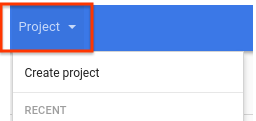
  4. לוחצים על שם המדיניות Define allowed external IPs for VM instances בעמודה Name בטבלה.

  5. בדף פרטי המדיניות, לוחצים על ניהול המדיניות כדי לערוך את מדיניות כתובות ה-IP החיצוניות. אם אין לכם גישה לקישור ניהול מדיניות, סימן שאין לכם את ההרשאות המתאימות.

  6. לוחצים על ניהול המדיניות.

    ייפתח הדף עריכת מדיניות.

  7. בקטע חל על, בוחרים באפשרות במקום המדיניות של המשאב הראשי.

  8. בקטע אכיפת מדיניות, בוחרים באפשרות מיזוג עם ההורה.

  9. לוחצים על Add a rule.

    1. בשדה ערכי מדיניות, בוחרים באפשרות בהתאמה אישית.

    2. בקטע סוג המדיניות, בוחרים אם מדיניות הארגון צריכה לקבל או לדחות את הערכים שצוינו.

    3. בשדה ערך מותאם אישית, מזינים URI של מופע. ה-URI צריך להיות בפורמט הבא:

      projects/PROJECT_ID/zones/ZONE/instances/INSTANCE_NAME
      
    4. כדי להוסיף עוד מופעי מחשוב, לוחצים על הוספת ערך ואז מזינים כתובות URI של מופעים נוספים.

  10. כדי לאכוף את המדיניות, לוחצים על הגדרת מדיניות.

gcloud

כדי להגדיר אילוצי גישה לכתובות IP חיצוניות, קודם צריך את מזהה הארגון. כדי למצוא את מזהה הארגון, מריצים את הפקודה organizations list ומחפשים את המזהה המספרי בתשובה:

gcloud organizations list

ה-CLI של gcloud מחזיר רשימה של ארגונים בפורמט הבא:

DISPLAY_NAME               ID
example-organization1      29252605212
example-organization2      1234567890

משתמשים בפקודה gcloud resource-manager org-policies set-policy כדי להגדיר את המדיניות. צריך לספק את המדיניות כקובץ JSON. יוצרים קובץ JSON בפורמט הבא:

{
"constraint": "constraints/compute.vmExternalIpAccess",
"listPolicy": {
  "allowedValues": [
     "projects/PROJECT_ID/zones/ZONE/instances/INSTANCE_NAME",
     "projects/PROJECT_ID/zones/ZONE/instances/INSTANCE_NAME",
     "projects/PROJECT_ID/zones/ZONE/instances/INSTANCE_NAME"
  ]
 }
}

מחליפים את מה שכתוב בשדות הבאים:

  • PROJECT_ID: מזהה הפרויקט של הבקשה הזו, כמו example-project. שימו לב: ההגדרה הזו שונה מהגדרה של כללי מדיניות הארגון, שדורשת את המזהה המספרי של הארגון.
  • ZONE: האזור של המכונה
  • INSTANCE_NAME: השם של המכונה

אפשר גם לציין deniedValues רשימה כדי לציין מקרים שבהם רוצים למנוע באופן מפורש הקצאה של כתובת IP חיצונית. כל מופע שלא מופיע ברשימה יקבל באופן מרומז הרשאה להקצאת כתובת IP חיצונית. אפשר לציין רק את allowedValues או את deniedValues, אבל לא את שניהם.

לאחר מכן מעבירים את הקובץ עם הבקשה:

gcloud resource-manager org-policies set-policy MY_POLICY.JSON --organization=ORGANIZATION_ID

מחליפים את ORGANIZATION_ID במזהה המספרי של הארגון.

אם אתם לא רוצים שלמופעים תהיה גישה לכתובת IP חיצונית, אתם יכולים להגדיר מדיניות עם allValues שמוגדר ל-DENY:

{
  "constraint": "constraints/compute.vmExternalIpAccess",
  "listPolicy": {
    "allValues": "DENY"
  }
}

REST

משתמשים ב-API של setOrgPolicy() כדי להגדיר את ההגבלה. למכונות ברשימה allowedValue שאתם מציינים מותרות כתובות IP חיצוניות. לחלופין, אפשר לציין deniedValues רשימה של מקרים שבהם רוצים למנוע באופן מפורש הקצאה של כתובת IP חיצונית. כל מופע שלא מופיע ברשימה יקבל באופן מרומז הרשאה להקצאת כתובת IP חיצונית. אפשר לציין רק את allowedValues או את deniedValues, אבל לא את שניהם.

לדוגמה, הבקשה הבאה היא להחלת האילוץ compute.vmExternalIpAccess על ארגון שבו מותר למכונות מפרויקטים מסוימים בארגון להשתמש בכתובות IP חיצוניות:

POST https://cloudresourcemanager.googleapis.com/v1/organizations/ORGANIZATION_ID:setOrgPolicy

כאשר ORGANIZATION_ID הוא המספר המזהה של הארגון.

עכשיו, בגוף הבקשה, מציינים את המדיניות של האילוץ הזה:

{
  "policy": {
    "constraint": "constraints/compute.vmExternalIpAccess",
    "listPolicy": {
      "allowedValues": [
        "projects/PROJECT_ID/zones/ZONE/instances/INSTANCE_NAME",
        "projects/PROJECT_ID/zones/ZONE/instances/INSTANCE_NAME",
        "projects/PROJECT_ID/zones/ZONE/instances/INSTANCE_NAME"
        ]
      }
    }
 }

אם אתם לא רוצים שלמופעים תהיה גישה לכתובת IP חיצונית, אתם יכולים להגדיר מדיניות עם allValues שמוגדר ל-DENY:

{
  "policy": {
    "constraint": "constraints/compute.vmExternalIpAccess",
    "listPolicy": {
      "allValues": "DENY"
      }
    }
 }

הגדרת המדיניות ברמת הפרויקט

הגדרת מדיניות ברמת הפרויקט מבטלת את המדיניות ברמת הארגון. לדוגמה, אם ברמת הארגון יש example-vm-1 ברשימה allowedValues, אבל במדיניות ברמת הפרויקט יש את אותו מופע ברשימה deniedValues, למופע לא תהיה אפשרות לקבל כתובת IP חיצונית.

המסוף

פועלים לפי אותו תהליך שמתואר במאמר הגדרת מגבלת מדיניות ברמת הארגון, אבל בוחרים את הפרויקט בכלי לבחירת פרויקטים במקום לבחור את הארגון.

בורר הפרויקטים.

gcloud

משתמשים בפקודה gcloud resource-manager org-policies set-policy כדי להגדיר את המדיניות. צריך לספק את המדיניות כקובץ JSON. יוצרים קובץ JSON בפורמט הבא:

{
 "constraint": "constraints/compute.vmExternalIpAccess",
 "listPolicy": {
  "allowedValues": [
   "projects/PROJECT_ID/zones/ZONE/instances/INSTANCE_NAME"
  ]
 }
}

מחליפים את מה שכתוב בשדות הבאים:

  • PROJECT_ID: מזהה הפרויקט של הבקשה הזו, כמו example-project. שימו לב: ההגדרה הזו שונה מהגדרה של כללי מדיניות הארגון, שדורשת את המזהה המספרי של הארגון.
  • ZONE: האזור של המכונה.
  • INSTANCE_NAME: השם של המכונה.

לחלופין, אפשר לציין deniedValues רשימה של מכונות שרוצים לאסור עליהן באופן מפורש להחזיק כתובת IP חיצונית. כל מכונה שלא מופיעה ברשימה הזו תורשה באופן מרומז להקצות כתובת IP חיצונית. אפשר לציין רק את allowedValues או את deniedValues, אבל לא את שניהם.

לאחר מכן מעבירים את הקובץ עם הבקשה:

gcloud resource-manager org-policies set-policy MY_POLICY.JSON --project=example-project

REST

משתמשים ב-API של setOrgPolicy כדי להגדיר את ההגבלה. למכונות ברשימה allowedValue שאתם מציינים מותרות כתובות IP חיצוניות. אפשרות אחרת היא לציין deniedValues רשימה של מכונות שרוצים למנוע מהן באופן מפורש להחזיק כתובת IP חיצונית. לכל מופע שלא מופיע ברשימה מותר באופן מרומז להקצות כתובת IP חיצונית. אפשר לציין רק את allowedValues או את deniedValues, אבל לא את שניהם.

לדוגמה, הבקשה הבאה מגדירה את האילוץ compute.vmExternalIpAccess בפרויקט כדי לאפשר למופעים ספציפיים לקבל כתובות IP חיצוניות:

POST https://cloudresourcemanager.googleapis.com/v1/projects/PROJECT_ID:setOrgPolicy

מחליפים את PROJECT_ID במזהה הפרויקט של הבקשה הזו.

גוף הבקשה מכיל את המדיניות של האילוץ הזה:

{
  "policy": {
    "constraint": "constraints/compute.vmExternalIpAccess",
    "listPolicy": {
      "allowedValues": [
        "projects/PROJECT_ID/zones/ZONE/instances/INSTANCE_NAME"
      ]
    }
  }
}

שיטות מומלצות להגבלת כתובות IP חיצוניות

  • אל תשתמשו ברשימה deniedValues עם המגבלה הזו. אם מגדירים ערכים ברשימה deniedValues, המשמעות היא שרק המכונות ברשימה deniedValues מוגבלות משימוש בכתובות IP חיצוניות. זה עלול להיות בעיה מבחינת אבטחה אם אתם רוצים לשלוט בדיוק באילו מכונות יכולות להיות כתובות IP חיצוניות. אם רוצים להסיר מקרים מסוימים מהרשימה allowedValues, צריך לעדכן את המדיניות הקיימת כדי להסיר את המקרים מהרשימה allowedList במקום להוסיף אותם לרשימה deniedValues בהיררכיה נמוכה יותר.

  • אם רוצים להגדיר מדיניות על חלק גדול בהיררכיית המשאבים, אבל להחריג פרויקטים מסוימים, צריך לשחזר את מדיניות ברירת המחדל באמצעות השיטה setOrgPolicy, ולציין את האובייקט restoreDefault כדי לאפשר לכל המכונות בפרויקטים להיות משויכות לכתובות IP חיצוניות. המדיניות הנוכחית לגבי פרויקטים לא מושפעת מהגדרת ברירת המחדל.

  • כדי לשלוט טוב יותר בסביבה שלכם, מומלץ להשתמש במדיניות הארגון יחד עם תפקידי IAM. המדיניות הזו חלה רק על מקרים, אבל אם רוצים לשלוט טוב יותר בכתובות IP חיצוניות במכשירי רשת ולהגביל אותן, אפשר להעניק את התפקיד compute.networkAdmin לצדדים המתאימים.

  • כל השירותים והמוצרים שפועלים ב-Compute Engine בארגון או בפרויקט שהמדיניות מופעלת בהם כפופים למדיניות הארגון הזו. השירותים שמושפעים מהמדיניות הזו הם למשל Google Kubernetes Engine,‏ Dataflow,‏ Managed Service for Apache Spark ו-Cloud SQL. אם זו בעיה, Google ממליצה להגדיר שירותים ומוצרים אחרים בפרויקט אחר שלא חלה עליו מדיניות הארגון, ולהשתמש ב-VPC משותף, אם צריך.

ניהול כתובות IP חיצוניות סטטיות

בקטעים הבאים מוסבר איך לנהל כתובות IP חיצוניות סטטיות עבור המופעים.

איך קובעים אם כתובת IP פנימית היא ארעית או סטטית

כתובות IP פנימיות סטטיות וזמניות מתנהגות ונראות אותו הדבר ברוב ההקשרים. עם זאת, אם משתמשים בכתובות IP פנימיות סטטיות, אפשר להשתמש באותה כתובת IP לאותו משאב גם אם מוחקים את המשאב ויוצרים אותו מחדש. באופן כללי, כתובת IP זמנית משוחררת אם מפסיקים או מוחקים את המשאב.

כדי לקבוע אם כתובת היא סטטית או זמנית, מבצעים את הפעולות הבאות:

  1. נכנסים לדף IP addresses במסוף Cloud de Confiance .

    מעבר אל כתובות IP

  2. מחפשים את הכתובת ברשימה ובודקים את העמודה סוג כדי לראות מה סוג כתובת ה-IP.

ביטול ההקצאה של כתובת IP חיצונית סטטית

ביטול ההקצאה של כתובת IP מסיר אותה מהמשאב, אבל כתובת ה-IP נשארת שמורה. אחרי שמבטלים את ההקצאה של כתובת ה-IP, אפשר להקצות אותה מחדש למשאב אחר. התהליך הזה נתמך במופעים עם כתובות IPv4 ו-IPv6, אבל לא במופעים עם כתובות IPv6 בלבד.

אפשר גם לבטל את ההקצאה של כתובת IPv4 או IPv6 על ידי מחיקת המכונה.

המסוף

  1. נכנסים לדף IP addresses במסוף Cloud de Confiance .

    מעבר אל כתובות IP

  2. לוחצים על External IP addresses (כתובות IP חיצוניות).

  3. בוחרים את כתובת ה-IP הסטטית שרוצים לבטל את ההקצאה שלה.

  4. לוחצים על הצגת פעולות ובוחרים באפשרות הקצאה מחדש למשאב אחר.

  5. ברשימה הנפתחת צירוף אל, בוחרים באפשרות ללא.

  6. לוחצים על OK.

gcloud

  1. כדי לבדוק אם כתובת IP סטטית נמצאת בשימוש, משתמשים בפקודה gcloud compute addresses list:

    gcloud compute addresses list
    

    הפלט אמור להיראות כך:

    NAME                      REGION    ADDRESS                  STATUS
    example-address-ipv4      REGION    198.51.100.1             RESERVED
    example-address-new-ipv4  REGION    203.0.113.1              IN_USE
    example-address-ipv6      REGION    2001:db8:1:1:1:1:1:1     RESERVED
    example-address-new-ipv6  REGION    2001:db8:4:4:4:4:4:4     IN_USE
    
    • אם כתובת ה-IP לא נמצאת בשימוש, הסטטוס הוא RESERVED.
    • אם כתובת ה-IP נמצאת בשימוש, הסטטוס הוא IN_USE.
  2. מאחזרים את שם המכונה שמשתמשת בכתובת ה-IP:

    gcloud compute addresses describe ADDRESS_NAME \
      --region=REGION
    

    מחליפים את מה שכתוב בשדות הבאים:

    • ADDRESS_NAME: השם של משאב כתובת ה-IPv6.
    • REGION: האזור של משאב כתובת ה-IPv6.

    הפלט אמור להיראות כך:

    address: IP_ADDRESS
    addressType: EXTERNAL
    ...
    region: https://www.googleapis.com/compute/v1/projects/PROJECT/regions/REGION
    selfLink: https://www.googleapis.com/compute/v1/projects/PROJECT/regions/REGION/addresses/ADDRESS_NAME
    status: IN_USE
    subnetwork: https://www.googleapis.com/compute/v1/projects/PROJECT/regions/REGION/subnetworks/SUBNET
    users:
    - https://www.googleapis.com/compute/v1/projects/PROJECT/zones/ZONE/instances/INSTANCE_NAME
    

    בשדה users מוצג השם של המופע שמשתמש בכתובת ה-IP.

  3. מבטלים את ההקצאה של כתובת ה-IP למכונה.

    • כדי לבטל את ההקצאה של כתובת IPv4, מוחקים את קובץ הגדרות הגישה של המכונה:

      1. משיגים את השם של הגדרת הגישה שרוצים למחוק. כדי לקבל את השם, משתמשים בפקודה gcloud compute instances describe. מחליפים את INSTANCE_NAME בשם המכונה.

        gcloud compute instances describe INSTANCE_NAME
        

        הגדרת הגישה מופיעה בפורמט הבא:

        networkInterfaces:
          - accessConfigs:
            - kind: compute#accessConfig
              name: external-nat
              natIP: 203.0.113.1
              type: ONE_TO_ONE_NAT
        
      2. כדי למחוק את הגדרת הגישה, משתמשים בפקודה gcloud compute instances delete-access-config:

        gcloud compute instances delete-access-config INSTANCE_NAME \
          --access-config-name="ACCESS_CONFIG_NAME"
        

        מחליפים את מה שכתוב בשדות הבאים:

        • INSTANCE_NAME: השם של המכונה.
        • ACCESS_CONFIG_NAME: השם של הגדרות הגישה שרוצים למחוק. חשוב לכלול את השם המלא בין מרכאות.
    • כדי לבטל את ההקצאה של טווח כתובות IPv6, משתמשים בפקודה instance network-interfaces update:

      gcloud compute instances network-interfaces update INSTANCE_NAME \
        --network-interface=nic0 \
        --stack-type=IPV4_ONLY \
        --zone=ZONE
      

      מחליפים את מה שכתוב בשדות הבאים:

      • INSTANCE_NAME: השם של המכונה שמשתמשת בכתובת ה-IP.
      • ZONE: האזור של המכונה.
  4. בודקים שכתובת ה-IP החיצונית הסטטית זמינה עכשיו ומסומנת כ-RESERVED במקום כ-IN_USE.

    gcloud compute addresses list \
      --filter="ADDRESS_NAME AND region=REGION"
    

    מחליפים את מה שכתוב בשדות הבאים:

    • ADDRESS_NAME: השם של משאב כתובת ה-IP.
    • REGION: האזור של משאב כתובת ה-IP.

עכשיו כתובת ה-IP החיצונית הסטטית זמינה, ואפשר להקצות אותה למופע אחר.

REST

כדי לבטל את ההקצאה של כתובת IPv4 או IPv6 חיצונית סטטית, מבצעים את השלבים הבאים:

  • במקרה של כתובות IPv4, מוחקים את הגדרת הגישה שמצורפת למכונה שמשתמשת בכתובת.

    1. כדי לבדוק את פרטי הגדרת הגישה של מכונה, שולחים בקשת GET אל ה-method‏ instances.get.

      GET https://compute.googleapis.com/compute/v1/projects/PROJECT_ID/zones/ZONE/instances/INSTANCE_NAME
      
    2. כדי למחוק את הגדרת הגישה הקיימת, שולחים בקשת POST אל ה-method‏ instances.deleteAccessConfig.

      POST https://compute.googleapis.com/compute/v1/projects/PROJECT_ID/zones/ZONE/instances/INSTANCE_NAME/deleteAccessConfig
      

      מחליפים את מה שכתוב בשדות הבאים:

      • PROJECT_ID: מזהה הפרויקט של הבקשה הזו
      • ZONE: האזור שבו נמצאת המכונה
      • INSTANCE_NAME: השם של המכונה
  • לגבי כתובות IPv6, צריך לעדכן את סוג הערימה של ממשק הרשת של המכונה שאליה מצורפת כתובת ה-IPv6.

    1. שולחים בקשת PATCH אל ה-method‏ instances.updateNetworkInterface.

    2. בגוף הבקשה, מעדכנים את הערך של השדה stackType ל-IPV4_ONLY.

      לדוגמה:

      PATCH https://compute.googleapis.com/compute/v1/projects/PROJECT_ID/zones/ZONE/instances/INSTANCE_NAME/updateNetworkInterface
      
      {
        "networkInterfaces": [{
          ...
          "stackType" : "IPV4_ONLY"
          ...
          }]
      }
      

Java


import com.google.cloud.compute.v1.AccessConfig;
import com.google.cloud.compute.v1.AccessConfig.Type;
import com.google.cloud.compute.v1.Instance;
import com.google.cloud.compute.v1.InstancesClient;
import com.google.cloud.compute.v1.NetworkInterface;
import java.io.IOException;
import java.util.concurrent.ExecutionException;
import java.util.concurrent.TimeUnit;
import java.util.concurrent.TimeoutException;

public class UnassignStaticIpAddress {

  public static void main(String[] args)
          throws IOException, ExecutionException, InterruptedException, TimeoutException {
    // TODO(developer): Replace these variables before running the sample.
    // Project ID or project number of the Google Cloud project you want to use.
    String projectId = "your-project-id";
    // Instance ID of the Google Cloud project you want to use.
    String instanceId = "your-instance-id";
    // Name of the zone to create the instance in. For example: "us-west3-b"
    String zone = "your-zone";
    // Name of the network interface to assign.
    String netInterfaceName = "your-netInterfaceName";

    unassignStaticIpAddress(projectId, instanceId, zone, netInterfaceName);
  }

  public static Instance unassignStaticIpAddress(String projectId, String instanceId,
                                                 String zone, String netInterfaceName)
          throws IOException, ExecutionException, InterruptedException, TimeoutException {
    // Initialize client that will be used to send requests. This client only needs to be created
    // once, and can be reused for multiple requests.
    try (InstancesClient client = InstancesClient.create()) {
      Instance instance = client.get(projectId, zone, instanceId);
      NetworkInterface networkInterface = null;
      for (NetworkInterface netIterface : instance.getNetworkInterfacesList()) {
        if (netIterface.getName().equals(netInterfaceName)) {
          networkInterface = netIterface;
          break;
        }
      }

      if (networkInterface == null) {
        throw new IllegalArgumentException(
                String.format(
                        "No '{network_interface_name}' variable found on instance %s.",
                        instanceId)
        );
      }

      AccessConfig accessConfig = null;
      for (AccessConfig config : networkInterface.getAccessConfigsList()) {
        if (config.getType().equals(Type.ONE_TO_ONE_NAT.name())) {
          accessConfig = config;
          break;
        }
      }

      if (accessConfig != null) {
        // Delete the existing access configuration first
        client.deleteAccessConfigAsync(projectId, zone, instanceId,
                        accessConfig.getName(), netInterfaceName).get(30, TimeUnit.SECONDS);
      }

      // return updated instance
      return client.get(projectId, zone, instanceId);
    }
  }
}

Python

import uuid

from google.cloud.compute_v1 import InstancesClient
from google.cloud.compute_v1.types import DeleteAccessConfigInstanceRequest


def unassign_static_ip_from_existing_vm(
    project_id: str,
    zone: str,
    instance_name: str,
    network_interface_name: str = "nic0",
):
    """
    Updates access configuration for a VM instance to unassign a static external IP.
    VM (and IP address in case of static IP assigned) must be created before calling this function.

    Args:
        project_id (str): Project ID.
        zone (str): Zone where the VM is located.
        instance_name (str): Name of the VM instance.
        network_interface_name (str): Name of the network interface to unassign.
    """
    client = InstancesClient()
    instance = client.get(project=project_id, zone=zone, instance=instance_name)
    network_interface = next(
        (ni for ni in instance.network_interfaces if ni.name == network_interface_name),
        None,
    )

    if network_interface is None:
        raise ValueError(
            f"No network interface named '{network_interface_name}' found on instance {instance_name}."
        )

    access_config = next(
        (ac for ac in network_interface.access_configs if ac.type_ == "ONE_TO_ONE_NAT"),
        None,
    )

    if access_config:
        # Delete the existing access configuration
        delete_request = DeleteAccessConfigInstanceRequest(
            project=project_id,
            zone=zone,
            instance=instance_name,
            access_config=access_config.name,
            network_interface=network_interface_name,
            request_id=str(uuid.uuid4()),
        )
        delete_operation = client.delete_access_config(delete_request)
        delete_operation.result()

    updated_instance = client.get(project=project_id, zone=zone, instance=instance_name)
    return updated_instance

שחרור כתובת IP חיצונית סטטית

אם כבר אין לכם צורך בכתובת IPv4 או IPv6 חיצונית סטטית, אתם יכולים למחוק את משאב כתובת ה-IP כדי לבטל את ההקצאה של כתובת ה-IP. מחיקה של מופע לא גורמת לשחרור אוטומטי של כתובת IP חיצונית סטטית. כשאין יותר צורך בכתובות IP חיצוניות סטטיות, צריך לבטל את ההקצאה שלהן באופן ידני.

הוראות לביטול השמירה של כתובת IP חיצונית סטטית מופיעות במאמר ביטול השמירה של כתובת IP חיצונית סטטית במסמכי ה-VPC.

המאמרים הבאים